Sheet 1 · Weeks 1, 2
PC Core Components
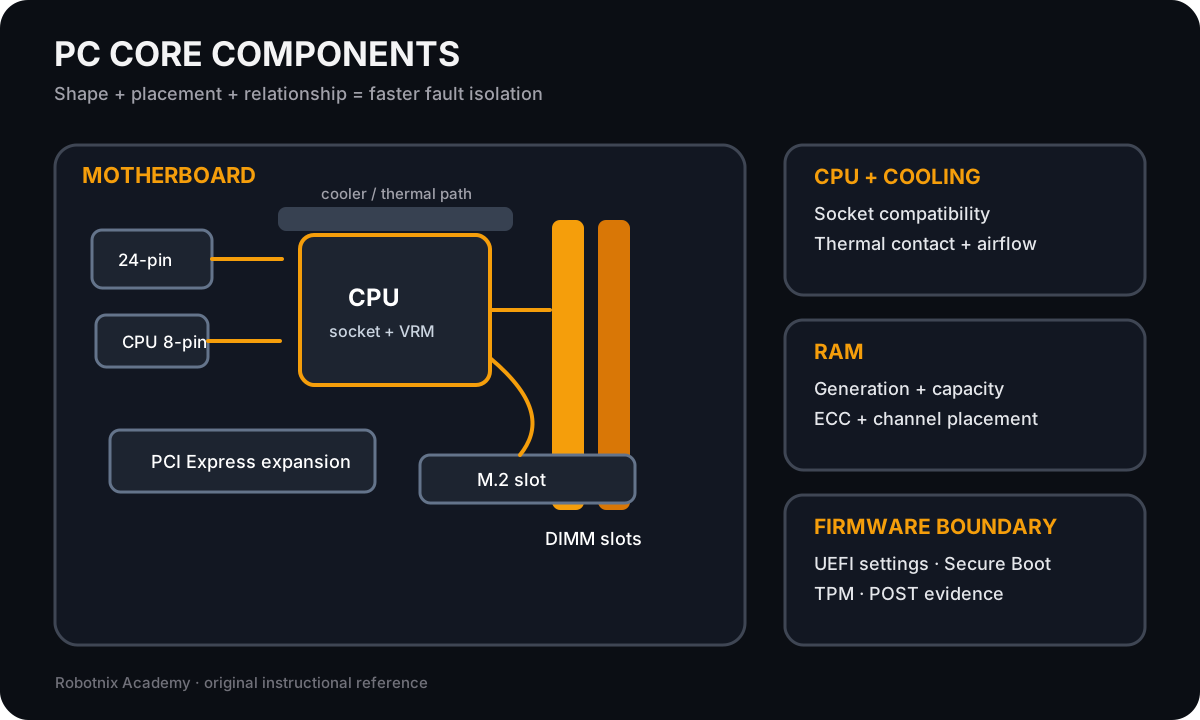
Compare core PC components before compatibility and no-POST troubleshooting.
Computer Systems visual study deck
Compare core PC components before compatibility and no-POST troubleshooting.
Compare storage interfaces and trace power, expansion, and display dependencies.

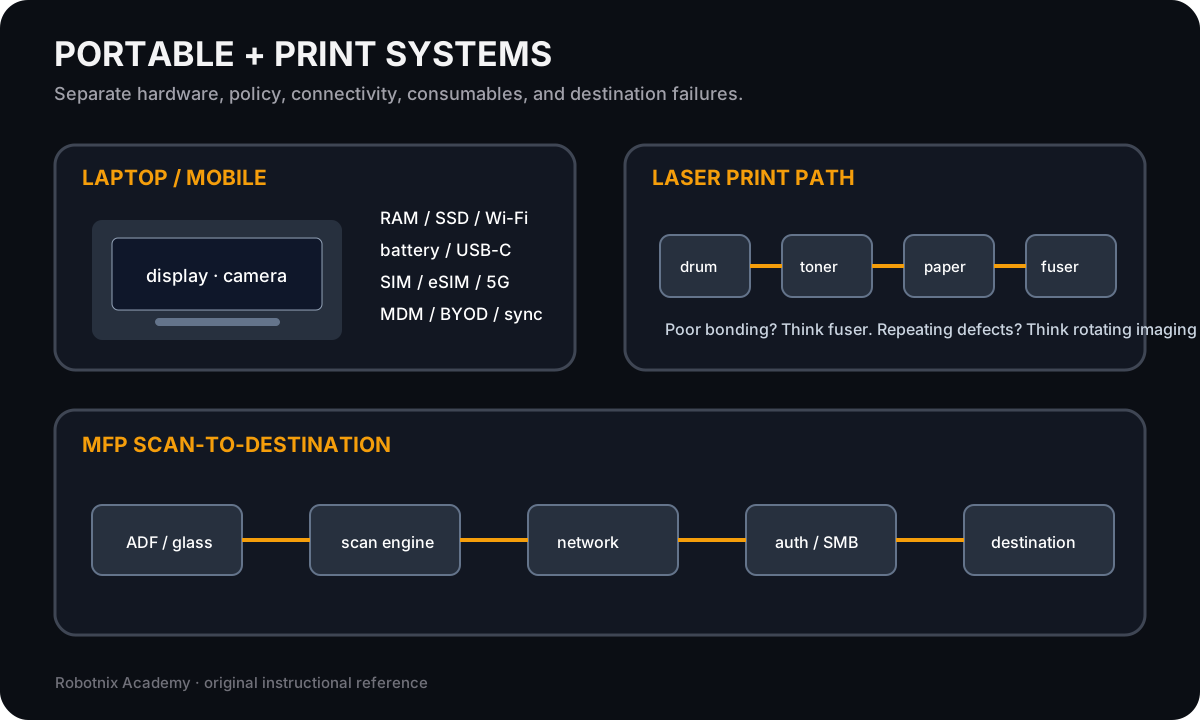
Compare laptop/mobile service boundaries with printer and scanner mechanisms.
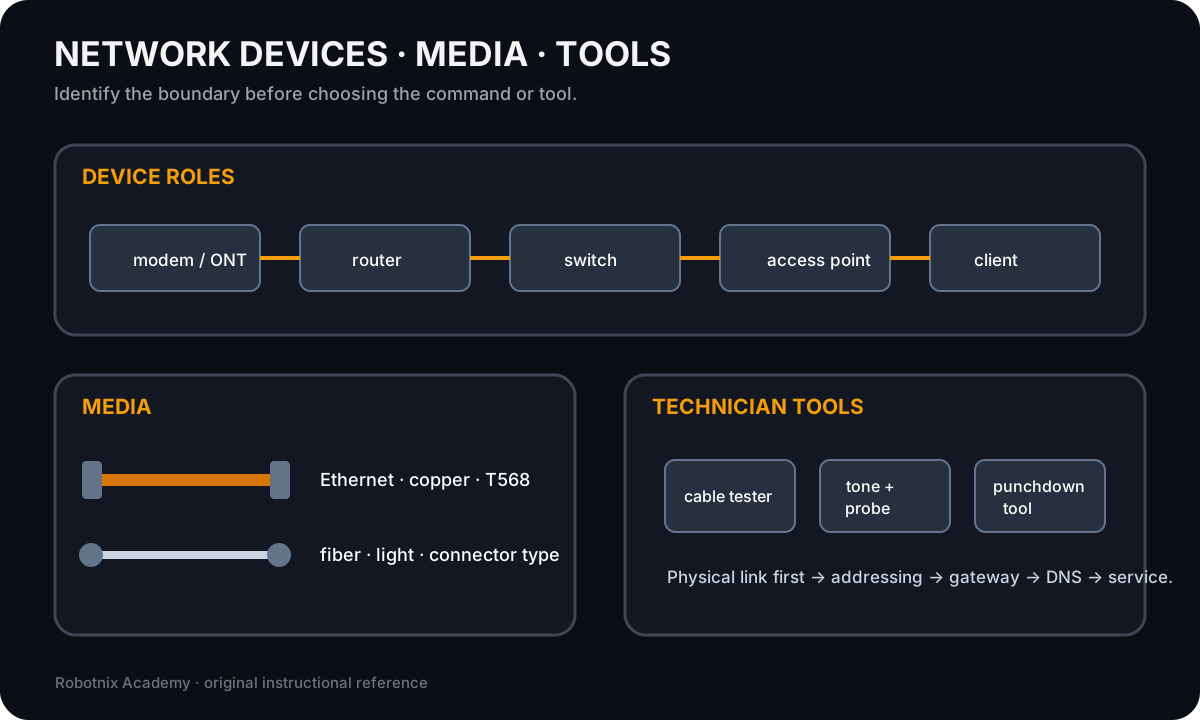
Identify common network hardware, cabling, and physical troubleshooting tools before service-layer diagnosis.
Provide a printable labeled reference for common PC and network connector recognition after the unlabeled hotspot practice.

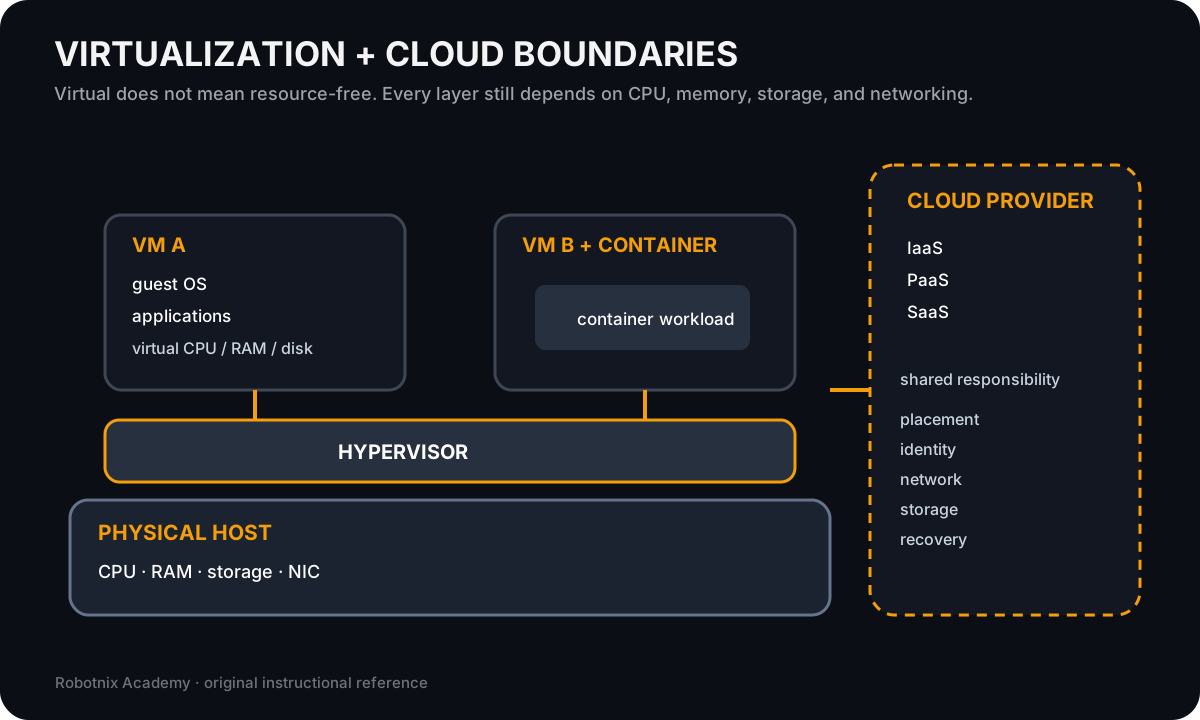
Distinguish host resources, guest operating systems, containers, virtual networks, and cloud responsibility boundaries.
Compare platform-specific administration surfaces without treating one operating system as the universal model.

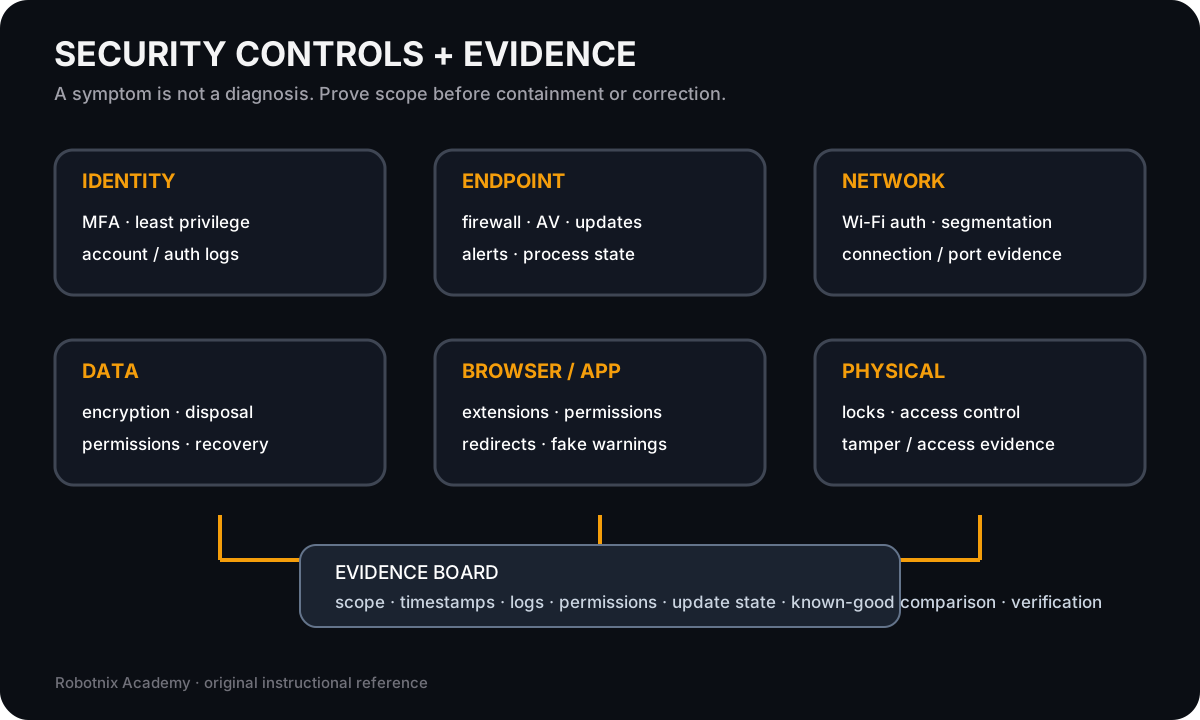
Connect defensive controls to the evidence used in security and software troubleshooting.
Make operational procedure artifacts visible before integrated technician scenarios.

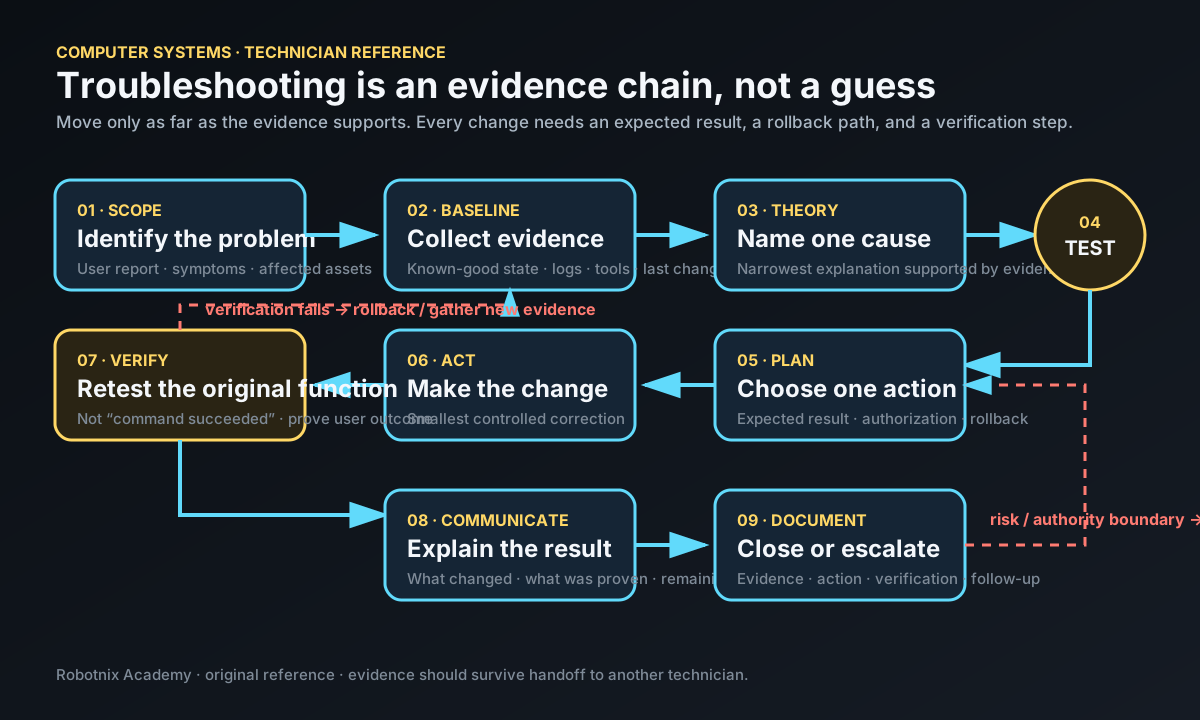
Give students a printable technician workflow for integrated troubleshooting and review.
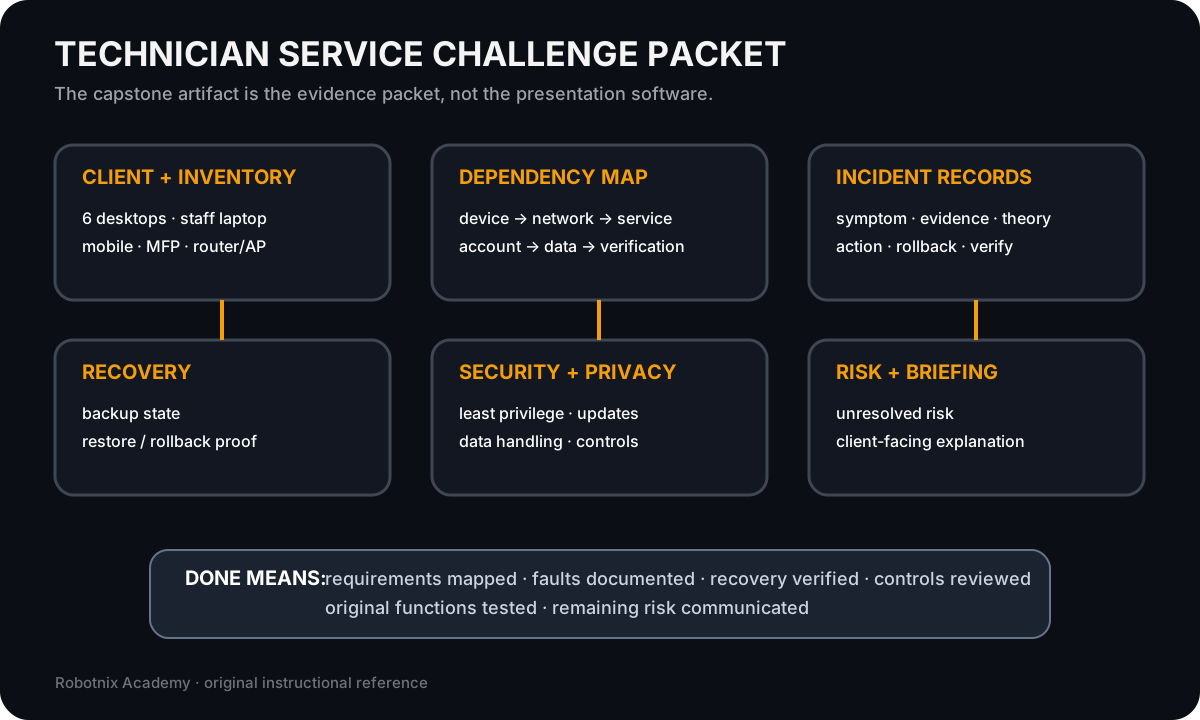
Show how the Week 18 evidence packet fits together before students configure and diagnose the capstone environment.