Unit 06 · lesson
Underlays, Overlays, and Why Workspaces Exist
Your installed Jazzy system already contains packages.
You do not want every experiment to modify /opt/ros/jazzy.
ROS 2 workspaces let you layer development packages on top of an existing environment.
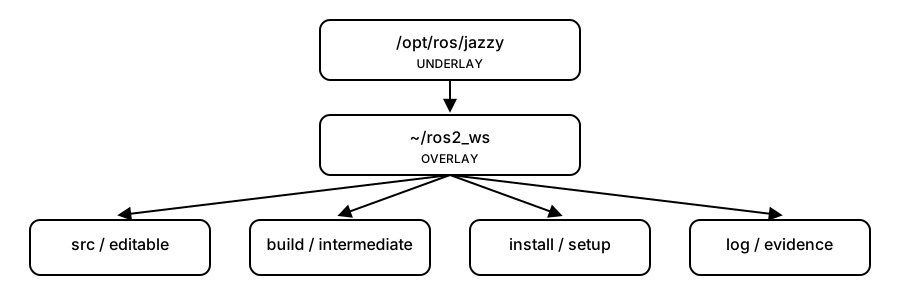
Diagrams open at a readable shape-aware scale. Zoom or expand when you need more detail.
A sourced overlay extends an existing ROS 2 environment
Workspaces isolate project packages from the base Jazzy installation while still depending on it.
- UNDERLAY/opt/ros/jazzy provides the base environmentsource
- WORKSPACE SRClocal packages live in ros2_ws/srcbuild
- COLCONproduces build, install, and log outputssource
- OVERLAYinstall/local_setup extends the shell environmentdiscover
- LOCAL PACKAGESros2 tools can now find the project
Underlay
For this course:
/opt/ros/jazzyis the main underlay.
It contains the ROS 2 installation your local work depends on.
Overlay
A workspace you create and build can be sourced afterward as an overlay.
The official tutorial explains that packages in an overlay can take precedence over packages in the underlay.
source /opt/ros/jazzy/setup.bash
          ↓
source ~/ros2_ws/install/local_setup.bash
          ↓
current shell sees Jazzy + local overlay packages
Why this is useful
- experiment without rebuilding ROS 2 itself;
- keep project packages together;
- build only the packages you are changing;
- switch between workspaces by changing what the shell sources.
Checkpoint
Explain why this is safer than editing files inside /opt/ros/jazzy directly.