Unit 03 · lesson
Layouts and the `content` Boundary
Layouts and the content Boundary
A Jekyll layout is a reusable template that wraps page content.
The official tutorial stores layouts in _layouts.
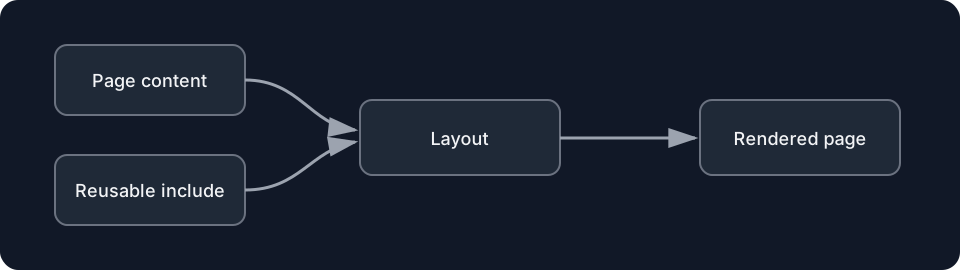
Diagrams open at a readable shape-aware scale. Zoom or expand when you need more detail.
Create the layout
Add:
_layouts/default.htmlwith:
<!doctype html>
<html lang="en">
  <head>
    <meta charset="utf-8">
    <meta name="viewport" content="width=device-width, initial-scale=1">
    <title>{{ page.title }}</title>
  </head>
  <body>
    {{ content }}
  </body>
</html>
content is special here.
It represents the rendered content of the page being wrapped.
Use the layout
A page can request it in front matter:
---
layout: default
title: About Me
---
Then the page body can focus on page-specific content.
Trace the render
about.md body
   ↓ Markdown rendered
page content
   ↓ inserted at {{ content }}
default layout
   ↓ Liquid rendered
final HTML
The output should contain one complete HTML document.
The source responsibilities are split across files.
Inspect _site
Build.
Open the generated About page.
Find:
- the layout's
<html>shell; - the page title resolved from front matter;
- the page body's rendered content.
That single output file proves multiple sources were combined.
Controlled failure
Misspell the layout name in a disposable copy:
layout: defualtBuild.
Record the actual error/output behavior from your Jekyll version.
Repair it.
Checkpoint
Explain the content boundary:
What comes from the page, what comes from the layout, and when does Jekyll combine them?