Unit 06 · lesson
The Jekyll Rendering Process
The rendering pipeline is one of the most useful upstream documents in this entire course.
Jekyll describes a build session as phases including plugin setup, reading source, generators, rendering templates, and writing files.
Inside rendering, the upstream documentation describes a sequence where Liquid interpretation, conversion, and layouts can apply depending on the file.
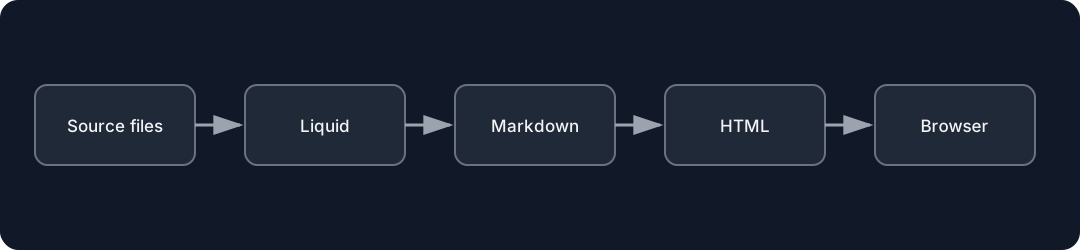
Diagrams open at a readable shape-aware scale. Zoom or expand when you need more detail.
Simplified pipeline
SOURCE
  ↓
LIQUID INTERPRETATION (when applicable)
  ↓
CONVERTER by file type
  Markdown → HTML
  Sass/SCSS → CSS
  ↓
LAYOUT POPULATION (when applicable)
  ↓
WRITE DESTINATION
This order matters.
Why order matters
If Markdown is converted after Liquid interpretation, a Liquid value can influence the content that the converter receives.
If a .html file contains Markdown text, the Markdown converter is not automatically selected merely because Markdown syntax is visible inside it.
The upstream rendering documentation explicitly ties converter choice to file extension/content behavior.
Trace one page
Choose a Markdown project document with Liquid/front matter and a layout.
Create an evidence trace:
source extension:
Liquid expression evaluated:
converter used:
layout selected:
output file written:
Nested layouts
Remember Unit 3:
Layout population can happen successively, with rendered content becoming the core inserted into parent layouts.
Checkpoint
Use the rendering order to predict what would happen if you put Markdown syntax into a plain .html source file without a Markdown conversion stage.