Week 07 · lesson
Lesson 2: Copper, Fiber, Coax, and Connector Standards
Two cables can both end in RJ-45 style connectors and still be wrong for completely different reasons.
One may use the wrong category for the required distance or speed. Another may be ordinary indoor cable routed through an air-handling space that requires plenum-rated material. A third may be terminated incorrectly even though the cable itself is fine.
So cable selection has several layers:
media
  ↓
category / signaling capability
  ↓
shielding
  ↓
environmental rating
  ↓
wiring / termination
  ↓
connector
  ↓
actual link
"It is Ethernet cable" is not enough information.
Visual reference
See the system before you troubleshoot it

Network troubleshooting gets faster when you can identify which device, medium, service, or technician tool belongs at each boundary.
Use it for: Identify common network hardware, cabling, and physical troubleshooting tools before service-layer diagnosis.

Connector shape is only the first clue. Confirm keying, signal type, device role, and the cable on both ends before deciding what belongs in the path.
Use it for: Provide a printable labeled reference for common PC and network connector recognition after the unlabeled hotspot practice.
Connector identification board
Identify common PC and network connectors by physical shape, then connect the connector to the job it is actually meant to perform.
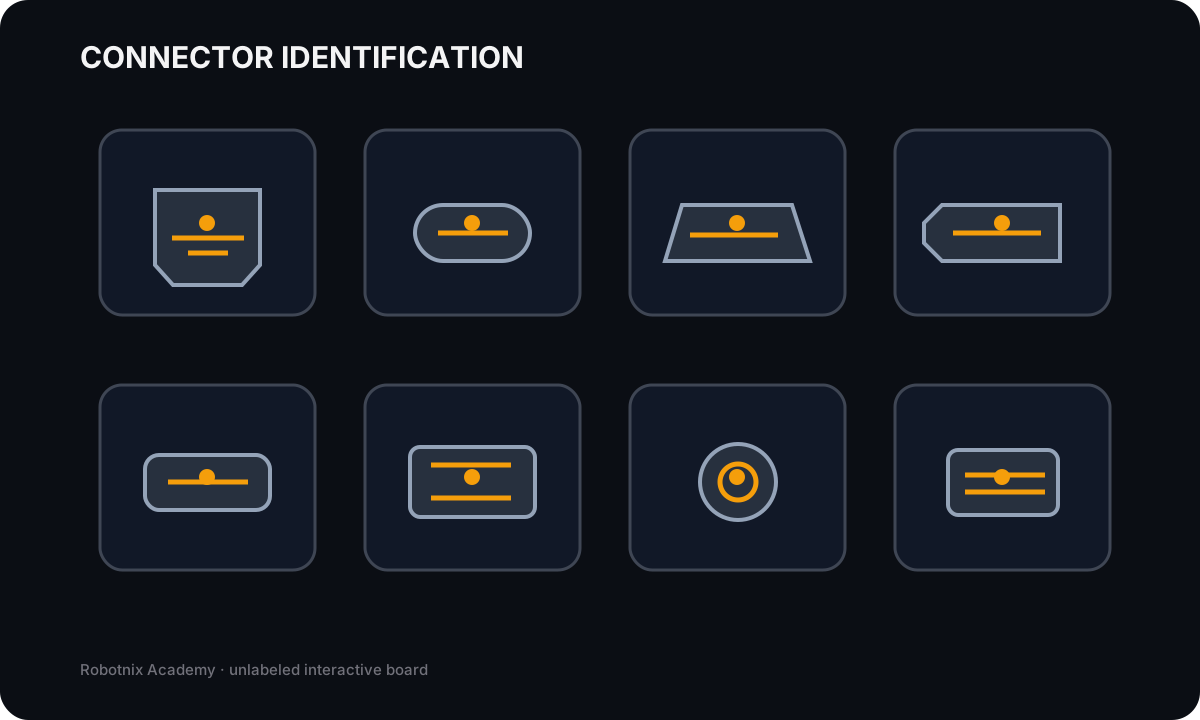
RJ45 Ethernet
Job: Terminates common twisted-pair Ethernet patch cabling.
Service clue: Connector shape alone does not prove cable category, wiring standard, link speed, or whether the port negotiated correctly.
Read the inspection board as text
- RJ45 Ethernet: Terminates common twisted-pair Ethernet patch cabling. Service clue: Connector shape alone does not prove cable category, wiring standard, link speed, or whether the port negotiated correctly.
- USB-C: Reversible compact connector that can carry USB data and, when supported, power and alternate-mode signals. Service clue: USB-C describes the connector shape; supported speed, charging, DisplayPort alt mode, and Thunderbolt features depend on the devices/cable.
- HDMI: Carries digital video and audio between compatible source and display devices. Service clue: No display requires checking source output, cable, input selection, resolution/refresh compatibility, and the display itself.
- DisplayPort: Carries digital display signals and may support high refresh/resolution and multi-display features. Service clue: DisplayPort and HDMI are not interchangeable by shape; adapters and port capabilities must match the intended signal path.
- LC fiber: Compact fiber-optic connector commonly used on network transceivers and patch panels. Service clue: Fiber troubleshooting includes connector cleanliness, transceiver type, single-mode vs multimode, polarity, and link budget.
- SC fiber: Push-pull fiber connector with a larger square body than LC. Service clue: Do not identify fiber only by jacket color; connector, fiber type, optics, and link design all matter.
- F-type coaxial: Threaded coax connector commonly seen in cable/broadband installations. Service clue: A coax connector can be mechanically attached while still having poor signal from bad termination, damaged cable, or upstream service issues.
- SATA data: Carries SATA storage data between a drive and controller using the keyed 7-pin data connector. Service clue: SATA drives also need power; a connected data cable alone does not make a drive electrically available.
Twisted-pair copper carries Ethernet over paired conductors
Common categories you should recognize include:
- Cat 5e;
- Cat 6;
- Cat 6A.
Category describes defined performance characteristics. The required choice depends on intended signaling, distance, installation, and environment.
Do not memorize category names as a ranking and stop there.
A cable only works as part of a complete channel that includes connectors, terminations, patching, and installation quality.
UTP and STP address interference differently
UTP, or unshielded twisted pair, relies on twisted conductor pairs without additional cable shielding.
STP adds shielding intended for environments where electromagnetic interference needs additional control.
Shielding is not a free upgrade.
A shielded cable system needs an installation designed to use that shielding correctly. Poor termination or grounding can undermine the purpose.
Use the environment requirement, not "more shielding sounds better."
T568A and T568B define termination patterns
T568A and T568B are recognized twisted-pair termination standards.
The important technician habit is consistency with the intended wiring standard and organizational practice.
A correctly manufactured cable follows the required pair assignments end to end.
If a new run does not link, possible boundaries include:
- open conductor;
- short;
- miswire;
- split pair;
- poor termination;
- damaged cable;
- wrong active port.
That is why later we use cable testers rather than staring at the connector and declaring it fine.
Environmental rating matters independently of category
Suppose a building run is Cat 6.
Is it automatically appropriate everywhere?
No.
Plenum-rated cable
Plenum-rated cable is designed for installations in required air-handling spaces according to the applicable building and environmental rules.
Direct-burial cable
Direct-burial cable is designed for appropriate outdoor or underground exposure.
A normal indoor patch cable may have the correct conductor category and still be the wrong material for the environment.
This is another case where one compatibility layer passes while another fails.
Coax uses a different physical design
Coaxial cable uses a center conductor surrounded by insulation and shielding.
In common broadband and cable contexts, you may see F-type connectors.
Coax is not twisted-pair Ethernet cable with a different plug.
It has a different signaling design and appears in different service paths.
Fiber carries light
Fiber-optic cable carries data using light through glass or plastic fiber rather than electrical signaling through copper conductors.
Two major families are:
Single-mode
Single-mode fiber supports long-distance communication using a narrow optical path.
Multimode
Multimode fiber is common for shorter building and data-center links.
Recognize connector families such as:
- LC;
- SC;
- ST.
Do not look directly into fiber connectors or active optical sources. Treat fiber ends carefully because contamination and physical damage can affect the link.
Connector recognition only helps when you know the path
A+ expects recognition of several cable and connector families:
- USB 2.0 and USB 3.x;
- microUSB;
- miniUSB;
- USB-C;
- Thunderbolt;
- HDMI;
- DisplayPort;
- DVI;
- VGA;
- SATA and eSATA;
- serial and DB9;
- RJ11;
- RJ45;
- F-type;
- ST, SC, and LC fiber connectors;
- punchdown blocks;
- Molex;
- Lightning in supported or legacy contexts.
Do not turn this into connector flash-card trivia.
For every connector, ask:
What path does this support, and what compatibility question remains after I recognize the shape?
USB-C is the obvious example: recognizing the connector does not tell you whether video, charging, Thunderbolt, or a particular data rate is supported.
Worked case: correct category, wrong environment
A technician plans a new run through an air-handling space using ordinary Cat 6 patch cable.
Their reasoning:
"It is Cat 6, so the network requirement is satisfied."
What did they prove?
Only part of the problem.
The cable may satisfy a signaling or category requirement while failing the environmental installation requirement.
The correct material has to satisfy both.
Worked case: link fails after new termination
Evidence:
switch port: known-good
NIC: known-good
new cable run: no link
visual connector inspection: looks normal
Does the connector looking good prove the termination is correct?
No.
Use an appropriate cable tester to check continuity and pin mapping before replacing the switch.
Visible neatness is not electrical evidence.
Build a cable decision record
For supplied jobs, identify:
- media type;
- category or protocol requirement;
- connector or termination;
- environmental rating;
- shielding concern;
- expected purpose;
- one remaining compatibility question.
Include examples using UTP, STP, coax, single-mode fiber, multimode fiber, plenum-rated cable, direct-burial cable, and one video, peripheral, or storage cable.
Before you move on
A cable decision is a chain:
what signal?
how far?
what environment?
what media?
what rating?
what termination?
what connector?
did the finished path actually test correctly?
Next we move from the physical path to the logical address that tells an endpoint where it belongs.
Read it. Prove it.