Week 02 · overview
Week 2: Google Drive and File Management
A file that exists but cannot be found, recognized, or safely shared is not well managed. This week treats Drive as an information system rather than a giant digital backpack.
The question
Can you still find, understand, and safely share a file two weeks after you created it?
What you will understand
Files have locations, names, owners, versions, and permissions. Cloud storage does not remove the need for organization or access control.
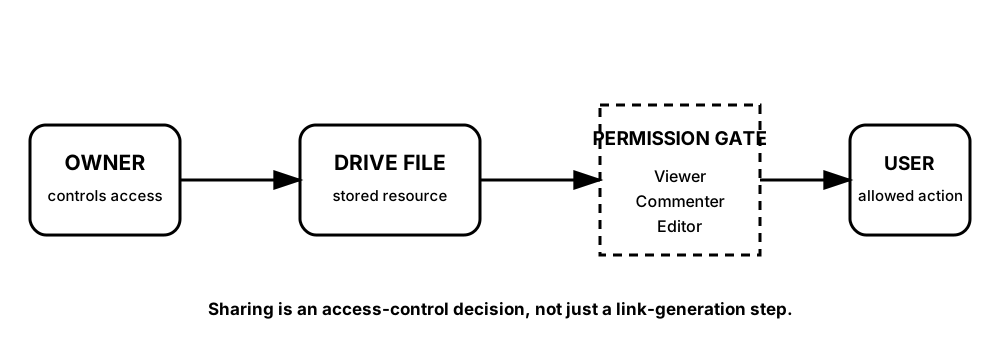
Diagrams open at a readable shape-aware scale. Zoom or expand when you need more detail.
The sharing link is not the control by itself. The permission attached to that resource determines what the recipient is allowed to do.
What you will do
Trace file location, design a naming system, reason about Viewer/Commenter/Editor access, complete the DigitalLearn Google Drive activity, and repair a deliberately messy Drive.
What you will produce
The Messy Drive Incident: a before/after organization map, permission decision table, and retrieval test.
Source activity
DigitalLearn Google Drive. The source activity remains attributed; Robotnix adds the access-control reasoning and independent repair challenge.
School-account boundary
Use only the course account and files you own or that were intentionally shared with you. Do not change permissions on another person's work as an experiment.
Key vocabulary
local file, cloud file, owner, folder, naming convention, search, Viewer, Commenter, Editor.
Pacing
Five lessons at approximately 42 minutes each.
How this week connects
Drive becomes the shared storage and access layer for Docs, Sheets, Slides, Forms, Gmail, and Calendar.