Week 03 · overview
Week 3: Gmail, Calendar, and Professional Communication
Digital communication is more than typing a sentence and pressing Send. Messages carry recipients, links, attachments, timing, history, and trust signals. Calendar events connect people to the work those messages describe.
The question
How do you coordinate work without losing context, access, or trust?
What you will understand
Email carries metadata and social signals; Calendar coordinates time; Drive links shared evidence. Trust requires checking context rather than reacting to urgency.
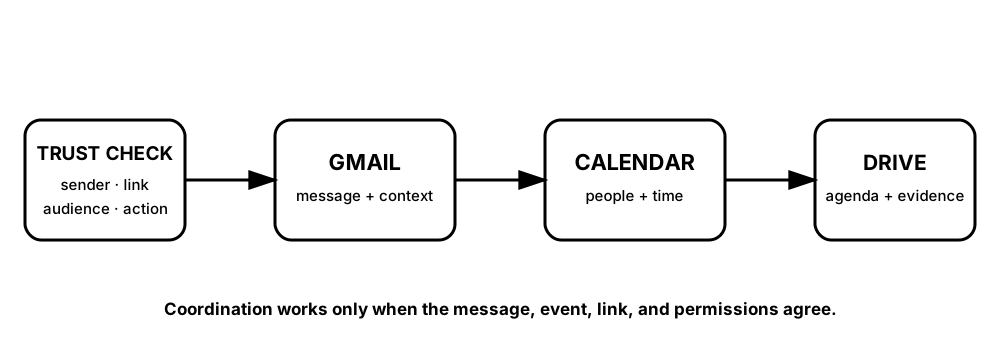
Diagrams open at a readable shape-aware scale. Zoom or expand when you need more detail.
A meeting workflow can fail even when the email is well written. The event, shared link, audience, and permissions all have to agree.
What you will do
Write professional messages, inspect suspicious-message evidence, complete the DigitalLearn Gmail Basics and Google Calendar activities, and connect email, calendar, and Drive into one workflow.
What you will produce
Plan the Meeting: a professional email draft, calendar event, agenda link, sharing check, and communication evidence record.
Source activity
DigitalLearn Gmail Basics and DigitalLearn Google Calendar. Personal account creation is not required; use the school-managed account provided for class.
Key vocabulary
metadata, recipient, CC, BCC, thread, phishing, invitation, agenda, shared link.
Pacing
Five lessons at approximately 42 minutes each.
How this week connects
The course moves from storing work to coordinating people around that work.