Week 07 · overview
Week 7: Google Forms, Surveys, and Responsible Data Collection
Every form field is a request for information. Good digital literacy includes knowing when a question is useful, when it is confusing, and when the safest choice is not to collect the information at all.
The question
What information should you collect, and what information should you deliberately leave alone?
What you will understand
Questions create datasets. Form settings determine what is required, who can respond, and what information is exposed. Data minimization is a design decision.
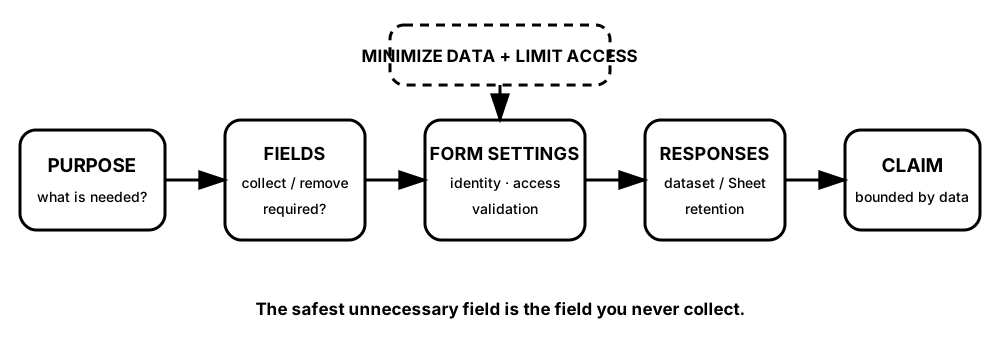
Diagrams open at a readable shape-aware scale. Zoom or expand when you need more detail.
Privacy is not a paragraph added after the form is built. It is visible in the fields you refuse to collect, the settings you inspect, the people who can reach the responses, and the decision about when the data is no longer needed.
What you will do
Repair weak survey questions, configure a form, map data access, complete the DigitalLearn Google Forms activity, and run a small non-sensitive survey with a Sheets analysis.
What you will produce
Design, Collect, Analyze: a teacher-approved form, safe test responses, response sheet, chart, claim, and limitation.
Source activity
DigitalLearn Google Forms. Robotnix adds the privacy review, data-minimization rules, and evidence requirements.
Key vocabulary
question type, required field, validation, data minimization, response sheet, access, retention, privacy.
Pacing
Five lessons at approximately 42 minutes each.
How this week connects
Forms closes the loop from collecting information to analyzing and communicating it.