Week 06 · overview
Week 6: Google Slides and Visual Communication
Slides are not a document chopped into rectangles. A presentation is a communication system: an audience sees visual evidence while a presenter supplies context, sequence, and explanation.
The question
How do you explain something clearly without turning slides into a wall of text?
What you will understand
Slides support a spoken or visual argument. Layout, hierarchy, imagery, attribution, speaker notes, and accessibility must serve an audience rather than decorate a file.
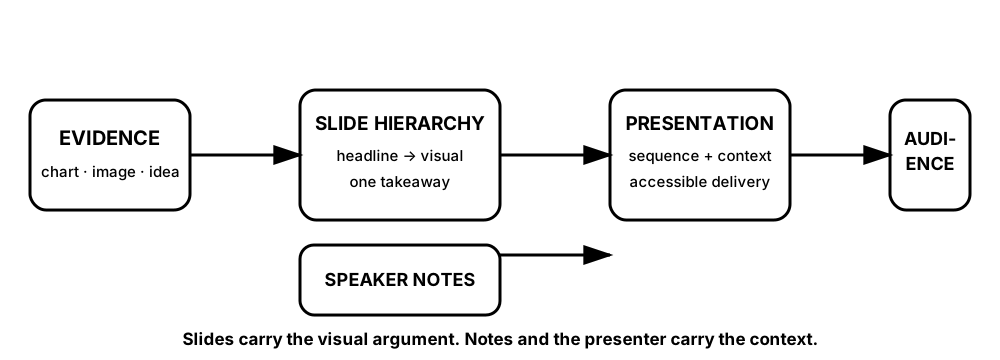
Diagrams open at a readable shape-aware scale. Zoom or expand when you need more detail.
The slide and the speaker do different jobs. If the slide contains the entire explanation, hierarchy disappears. If the slide contains decoration without evidence, the audience gets style without information.
What you will do
Build a five-slide story, inspect image/source choices, audit accessibility, complete the DigitalLearn Google Slides activity, and explain a difficult idea simply.
What you will produce
Explain Something Difficult Simply: exactly five slides plus speaker notes and a visual-source record.
Source activity
DigitalLearn Google Slides, including its source practice image when available from the official materials page.
Key vocabulary
visual hierarchy, layout, attribution, speaker notes, contrast, alt text, audience, takeaway.
Pacing
Five lessons at approximately 42 minutes each.
How this week connects
You transform evidence from Docs and Sheets into concise visual communication.