Week 04 · overview
Week 4: Google Docs and Collaborative Writing
A good document is not just text that looks nice on your screen. Its structure should survive different devices, different readers, collaboration, revision, and accessibility tools.
The question
What makes a shared document understandable, accessible, and defensible?
What you will understand
Document structure carries meaning. Headings, links, comments, suggesting mode, version history, and accessibility choices create evidence of how a document was built and revised.
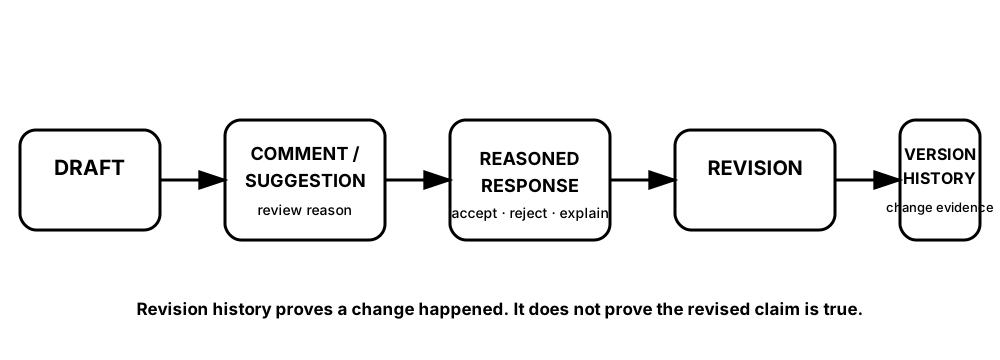
Diagrams open at a readable shape-aware scale. Zoom or expand when you need more detail.
Version history can show that work changed. The collaboration record explains why it changed. Neither replaces evidence for whether a factual claim is correct.
What you will do
Repair document structure, improve accessibility, compare collaboration modes, complete the DigitalLearn Google Docs activity, and author a concise technology brief.
What you will produce
One-Page Technology Brief with two credible sources, a peer comment, a revision trace, and an accessibility check.
Source activity
DigitalLearn Google Docs. The original activity remains source practice; the brief and evidence requirements are Robotnix work.
Key vocabulary
heading hierarchy, accessibility, alt text, descriptive link, comment, suggestion, version history.
Pacing
Five lessons at approximately 42 minutes each.
How this week connects
You now use Drive permissions and professional communication inside a collaborative writing workflow.