Week 07 · lesson
Lesson 2: Copper, Fiber, Coax, and Connector Standards
Core path: 42 minutes
Cable selection is not just "Ethernet or fiber." Media, shielding, environment, termination, connector, and supported signaling all matter.
Twisted-pair copper
Recognize categories such as Cat 5e, Cat 6, and Cat 6A at technician depth. Use the required category for the intended speed/distance/environment.
- UTP has no additional cable shielding.
- STP adds shielding for environments where interference control is needed.
- T568A/T568B are twisted-pair termination standards. A cable run should follow the intended wiring standard and organization policy.
- Plenum-rated cable is designed for required air-handling spaces.
- Direct-burial cable is designed for appropriate outdoor/underground exposure.
Do not use indoor patch cable as a universal building cable.
Coaxial
Coax uses a center conductor and shielding. Recognize F-type connectors in common broadband/cable contexts.
Fiber
- single-mode supports long-distance links using a narrow optical path;
- multimode is common for shorter building/data-center links.
Recognize LC, SC, and ST connector families.
Other A+ cable/connector recognition
Peripheral/video/storage interfaces include:
- USB 2.0 / USB 3.x, microUSB, miniUSB, USB-C;
- Thunderbolt;
- HDMI, DisplayPort, DVI, VGA;
- SATA and eSATA;
- serial/DB9;
- RJ11 and RJ45;
- punchdown blocks;
- Molex and Lightning in their appropriate legacy/device contexts.
A connector list matters only when you can connect it to purpose.
Guided case
A new cable is run through an air-handling space using ordinary patch cable because "it is still Cat 6."
Category alone does not satisfy the environmental requirement. Cable rating and installation context matter too.
Student action: cable decision matrix
For eight supplied jobs identify:
media/cable:
connector/termination:
environment requirement:
shielding/rating concern:
purpose:
compatibility question:
Include at least one UTP/STP, coax, single-mode, multimode, plenum, direct-burial, video, and storage/peripheral example.
Evidence checkpoint
A technician should be able to separate media type, category, environmental rating, wiring standard, and connector instead of calling all of them "the cable."
Visual reference
See the system before you troubleshoot it
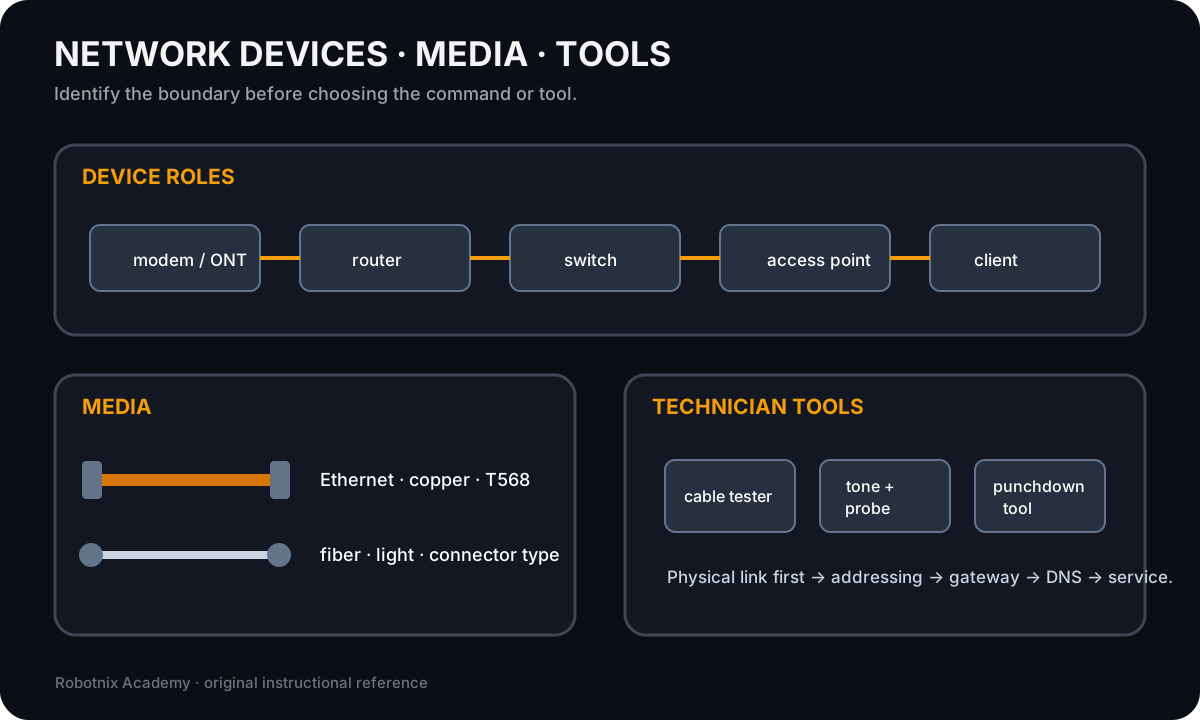
Network troubleshooting gets faster when you can identify which device, medium, service, or technician tool belongs at each boundary.
Use it for: Identify common network hardware, cabling, and physical troubleshooting tools before service-layer diagnosis.

Connector shape is only the first clue. Confirm keying, signal type, device role, and the cable on both ends before deciding what belongs in the path.
Use it for: Provide a printable labeled reference for common PC and network connector recognition after the unlabeled hotspot practice.
Connector identification board
Identify common PC and network connectors by physical shape, then connect the connector to the job it is actually meant to perform.
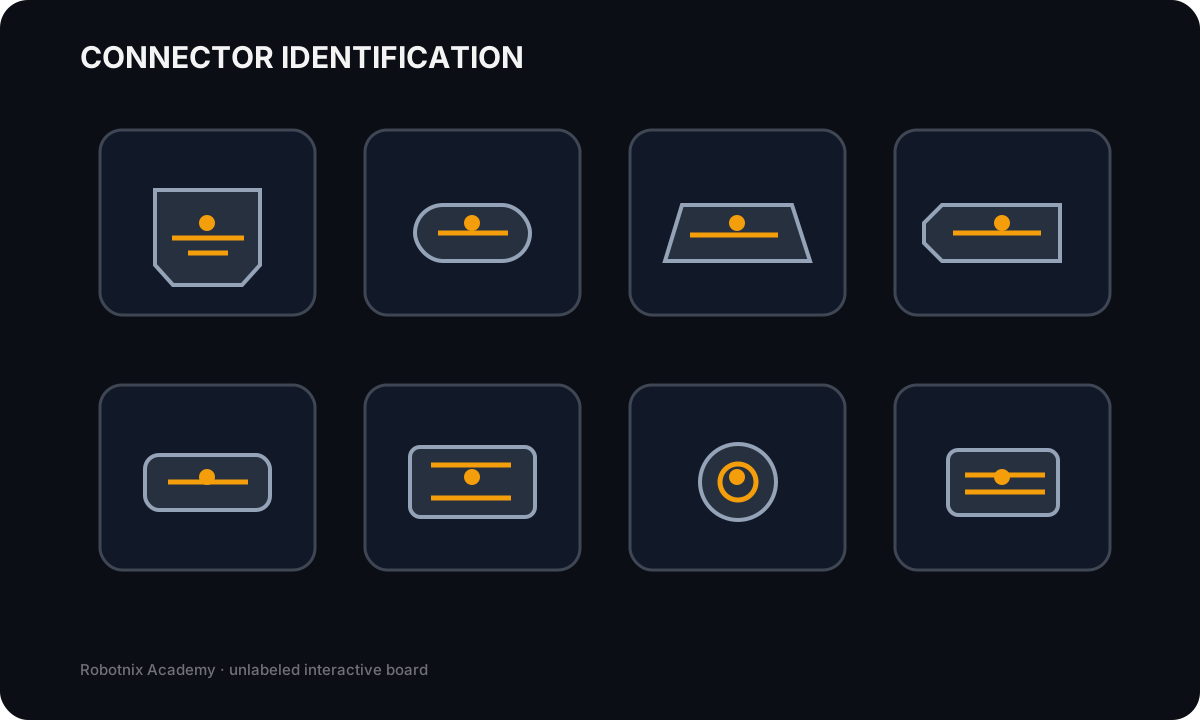
RJ45 Ethernet
Job: Terminates common twisted-pair Ethernet patch cabling.
Service clue: Connector shape alone does not prove cable category, wiring standard, link speed, or whether the port negotiated correctly.
Read the inspection board as text
- RJ45 Ethernet: Terminates common twisted-pair Ethernet patch cabling. Service clue: Connector shape alone does not prove cable category, wiring standard, link speed, or whether the port negotiated correctly.
- USB-C: Reversible compact connector that can carry USB data and, when supported, power and alternate-mode signals. Service clue: USB-C describes the connector shape; supported speed, charging, DisplayPort alt mode, and Thunderbolt features depend on the devices/cable.
- HDMI: Carries digital video and audio between compatible source and display devices. Service clue: No display requires checking source output, cable, input selection, resolution/refresh compatibility, and the display itself.
- DisplayPort: Carries digital display signals and may support high refresh/resolution and multi-display features. Service clue: DisplayPort and HDMI are not interchangeable by shape; adapters and port capabilities must match the intended signal path.
- LC fiber: Compact fiber-optic connector commonly used on network transceivers and patch panels. Service clue: Fiber troubleshooting includes connector cleanliness, transceiver type, single-mode vs multimode, polarity, and link budget.
- SC fiber: Push-pull fiber connector with a larger square body than LC. Service clue: Do not identify fiber only by jacket color; connector, fiber type, optics, and link design all matter.
- F-type coaxial: Threaded coax connector commonly seen in cable/broadband installations. Service clue: A coax connector can be mechanically attached while still having poor signal from bad termination, damaged cable, or upstream service issues.
- SATA data: Carries SATA storage data between a drive and controller using the keyed 7-pin data connector. Service clue: SATA drives also need power; a connected data cable alone does not make a drive electrically available.
Read it. Prove it.