Week 15 · lesson
Lesson 2: Troubleshoot Mobile OS and Application Issues
Core path: 42 minutes
Mobile troubleshooting should stay proportional to the symptom.
Do not factory-reset a phone because one app will not rotate or update.
Start with scope
Ask:
- one app or the whole device?
- one network type or all connectivity?
- before or after an update/install/change?
- enough storage/battery/network capacity?
- managed/corporate device or personal device?
- is data backed up before destructive recovery?
Application fails to launch
Check:
- app compatibility with current OS;
- available storage/memory;
- required account/license;
- app update state;
- device restart/relaunch;
- reinstall only after protecting app data/settings where required.
Application fails to close or crashes
If other apps work, keep the initial scope at the affected application.
Possible checks:
- force close/restart app;
- app update;
- OS compatibility;
- corrupted app state;
- reinstall after data/backup review.
Application fails to update
Investigate:
- network connectivity;
- app-store/account state;
- available storage;
- payment/license requirements where applicable;
- OS-version compatibility;
- management policy/restrictions.
Application fails to install
Possible boundaries:
- insufficient storage;
- unsupported OS/device;
- restricted application source;
- account/store/payment issue;
- MDM/policy restriction;
- degraded network.
Do not enable unsafe sideloading just to make an install succeed.
Slow to respond
Measure scope:
- one app vs entire device;
- background apps/processes;
- low storage;
- battery/thermal state;
- network-dependent app;
- pending updates;
- security symptoms.
OS fails to update
Check:
- supported device/OS lifecycle;
- free storage;
- battery/charging requirements;
- Wi-Fi/network quality;
- MDM/update policy;
- vendor service status.
Battery-life issues
Investigate:
- screen brightness/use;
- background apps;
- cellular/Wi-Fi/Bluetooth/GPS use;
- high network activity;
- battery health;
- heat;
- VPN/encryption/workload effects;
- recent app/OS change.
Do not assume the battery itself is failed because runtime decreased.
Random reboots
Possible causes include:
- OS/app instability;
- storage pressure;
- overheating;
- battery/power issues;
- update failure;
- hardware damage.
Preserve crash/reboot timing and recent-change evidence.
Connectivity issues
Bluetooth
Verify radio state, pairing mode, existing pairings, PIN/confirmation, distance, battery, permissions, and test after pairing.
Wi-Fi
Separate:
associated to AP
→ valid IP configuration
→ gateway/path
→ DNS/service
NFC
Verify NFC is enabled, device/app supports the intended function, close-range positioning is correct, and required permissions/account state exist.
Screen does not autorotate
Check:
- rotation lock;
- app supports rotation;
- orientation sensor behavior;
- OS/app update state;
- accessibility/display settings where relevant.
A non-rotating screen is not automatically a broken display.
Lab matrix
For each named symptom, record:
scope:
recent change:
first settings/tool evidence:
strongest theory:
alternative theory:
least-destructive correction:
backup/reset concern:
verification:
Evidence checkpoint
A reset is a recovery option, not a diagnosis. The strongest mobile technician narrows the failure before erasing user state.
Visual reference
See the system before you troubleshoot it
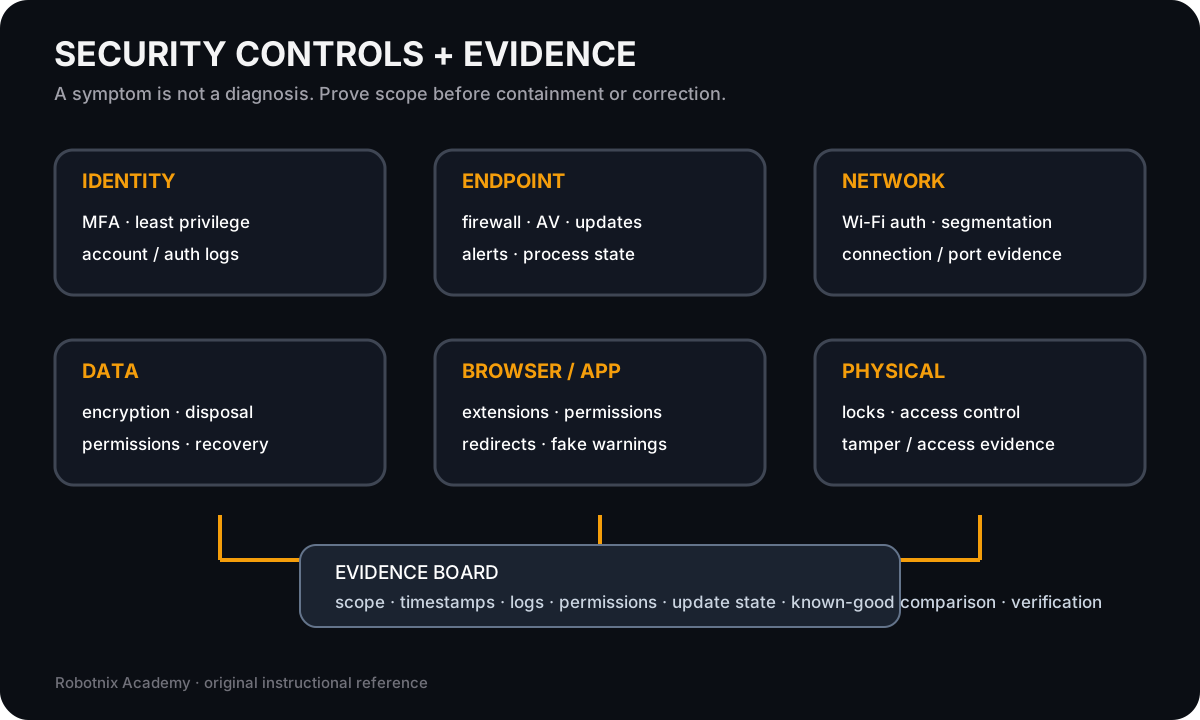
A security symptom is not a diagnosis. Controls and evidence help prove scope before a technician contains or corrects anything.
Use it for: Connect defensive controls to the evidence used in security and software troubleshooting.
Read it. Prove it.