Week 09 · lesson
Lesson 2: Complete Technician Network Tool Set
Core path: 42 minutes
A tool is useful when you know what question it answers and what it can change or damage.
Crimper
Used to attach supported modular connectors to compatible cable under an approved termination procedure. It does not test whether the finished cable is wired correctly.
Cable stripper
Removes cable jacket/insulation as required during cable preparation. Too much force or the wrong technique can damage conductors.
Punchdown tool
Seats/terminates individual copper conductors into compatible punchdown blocks, jacks, or patch-panel terminations.
Toner probe
A tone generator/probe can help identify or trace copper cable runs. It answers "which cable is this?" more directly than "does DNS work?"
Cable tester
Tests supported copper cable wiring/continuity and, depending on tool class, additional characteristics. A simple tester does not prove full production performance.
Loopback plug
Returns transmitted signals toward the originating interface for supported diagnostic testing, helping isolate interface behavior.
Wi-Fi analyzer
Displays information such as SSIDs, channels, signal levels, and congestion indicators. Use only passive supplied/isolated classroom data.
Network tap
A network tap provides an observation point for network traffic in an authorized diagnostic environment. In this course it is a recognition/tool-purpose concept. Do not place taps on school or other networks without explicit authorization.
Software evidence tools
Technicians also use ipconfig, ip, ping, traceroute/tracert, nslookup, route/interface views, and OS logs. These complement the named physical tools.
Student action
Match each question to the best tool:
Which run is this cable?
How do I terminate conductors into the patch panel?
Did I wire the cable correctly?
Which Wi-Fi channel is crowded?
Can I create an authorized observation point for an isolated trace?
Is this interface responding under loopback?
How do I prepare cable jacket before termination?
For every tool, add one limitation or safety note.
Evidence checkpoint
A technician does not choose tools because they are available. The tool should answer the current boundary question with the least unnecessary change.
Visual reference
See the system before you troubleshoot it
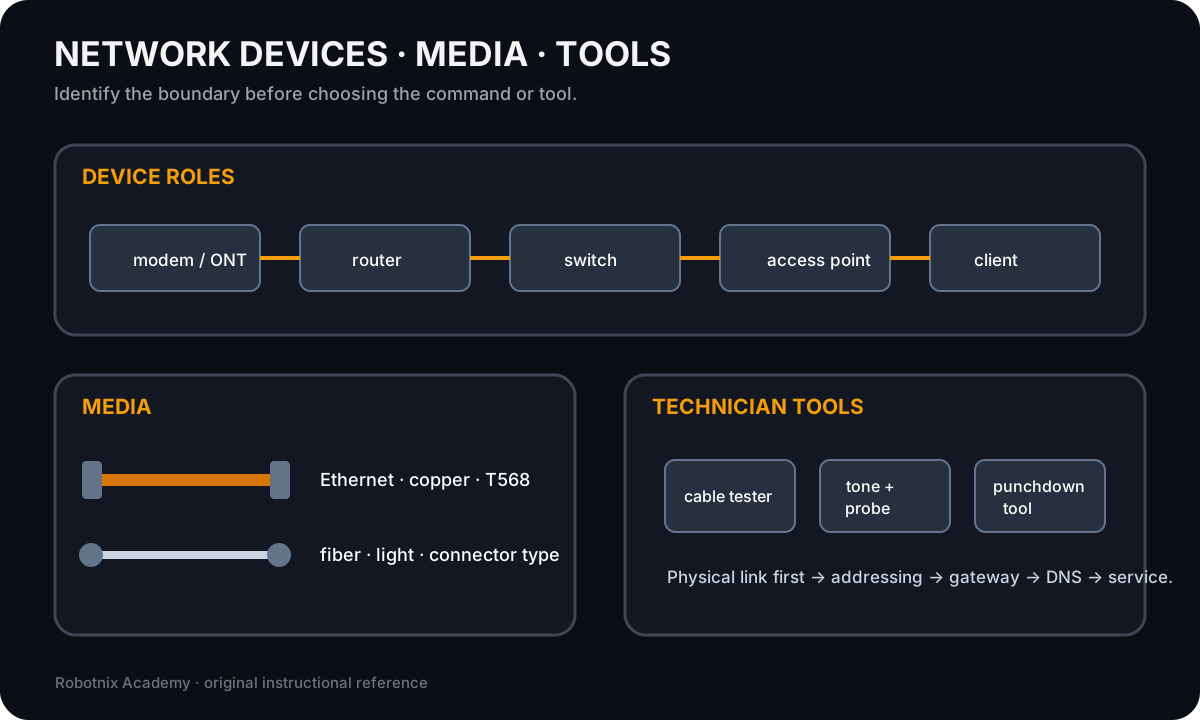
Network troubleshooting gets faster when you can identify which device, medium, service, or technician tool belongs at each boundary.
Use it for: Identify common network hardware, cabling, and physical troubleshooting tools before service-layer diagnosis.
Read it. Prove it.